In a world of quick solutions, invitation-making apps have become increasingly popular. This is because they are able to create, from customizable ready-made templates, what can make your party or event stand out: a creative invitation that will attract your target audience.
In today's article, you can check out the seven best apps for sending invitations on your phone and their availability! Come along and find out!
Invitation card maker
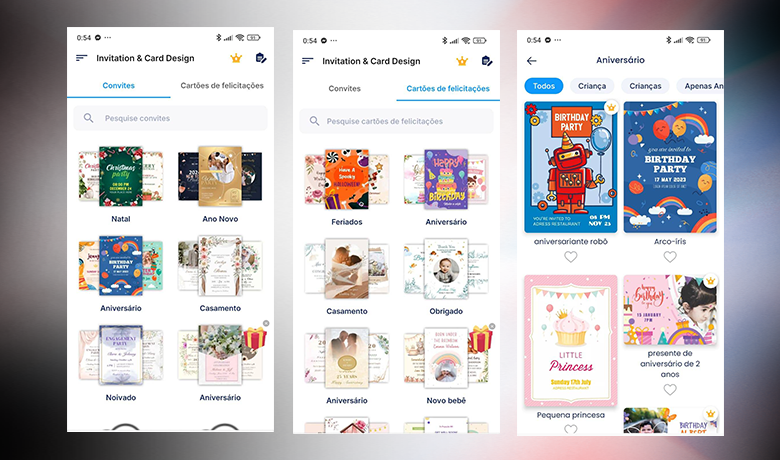
If you're looking for apps to easily create invitations, the Invitation Card Maker is a great option. Android. With ready-made templates for various occasions, such as baby showers and graduations, it allows you to easily customize invitations by adding essential information such as the host's name, date, time, and location. Furthermore, it offers the option to print invitations directly from the app, making the process even more convenient.
The app can be used for free, mainly as a birthday invitation app, but it also has a paid plan starting at R$ 10.99 per month. The premium version removes ads and watermarks, and unlocks more stickers for customization. Its main advantage is the integrated printing functionality, allowing users to have physical invitations without needing external tools. Check it out by clicking the buttons below!
Desygner
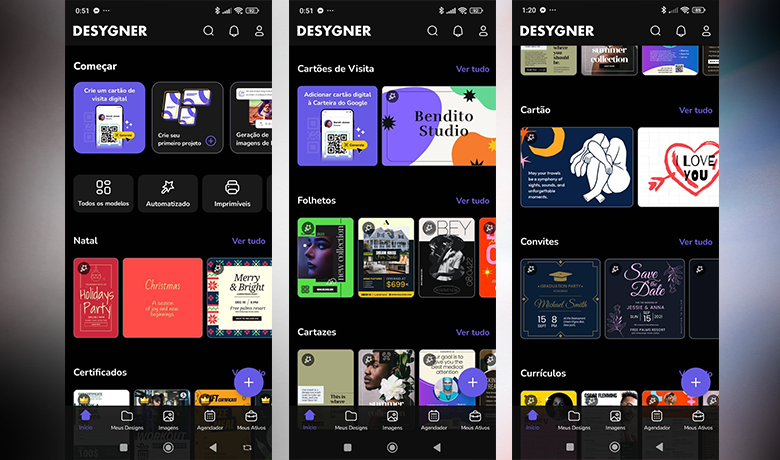
Among invitation-making apps, Desygner stands out for its flexibility and ease of use. Available for Android and iOS, it offers fully editable templates, allowing users to customize text, images, colors, and layouts to suit the occasion. Its main differentiator is the "Automatically create for me" function, which fills in the invitation with event information, speeding up the creation process.

The app can be used for free, but there is a Pro+ plan with extra benefits, such as real-time collaboration in editing invitations. The subscription costs R$ 20.80 per week or R$ 352.95 per year, making it ideal for those who need advanced features and professional customization.
Its distinguishing feature compared to other apps on the list is the automation of design, making creation quick and efficient. You can get the app on your phone by clicking the buttons below.
Invitation Maker – Invitation making
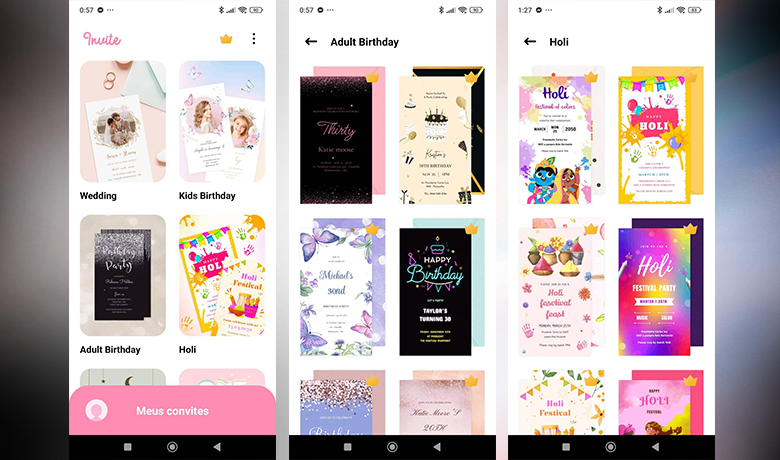
Next up in the invitation-making app series, Invitation Maker stands out for allowing the creation of interactive invitations, going beyond static images. Available for Android and iOS, it offers customizable templates organized by event categories. In addition to editing text and images, users can add background music, interactive buttons, and even a guest management feature, making the experience more dynamic.
The app can be installed for free, but the paid version, which costs R$ 89.90 per year, is required to share or download the created invitations. With this subscription, it's also possible to track the guest list and generate shareable links to facilitate sending.
Its biggest advantage over other apps on the list is the ability to create interactive invitations that function like a web page. Check it out for yourself by clicking below!
Adobe Spark
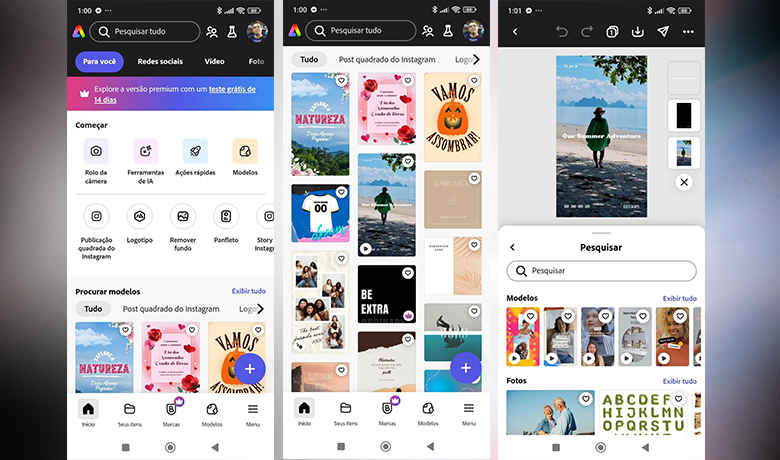
If you're looking for apps to create invitations with a professional touch, Adobe Spark is an excellent choice. Compatible with Android and iOS, it offers customizable templates for various occasions, allowing adjustments to fonts, textures, and colors. Furthermore, the app allows you to combine elements from different layouts without compromising the original design, guaranteeing unique and well-crafted invitations.
In the free version, invitations have a watermark, but subscribers to the premium plan (R$ 31.90/month or R$ 319.90/year) have access to exclusive templates and advanced tools. The great advantage of Adobe Spark compared to other invitation-making applications is its integration with Adobe solutions, ideal for those seeking a refined result. What are you waiting for? Click one of the buttons below and start your download!
Apple Invites
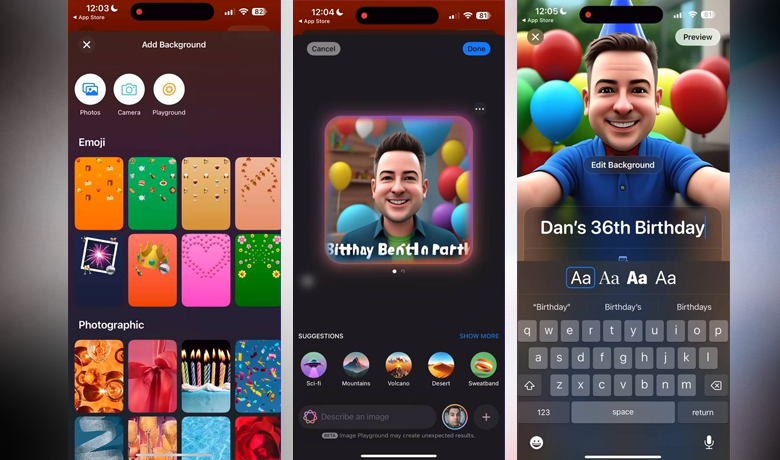
Apple Invites is one of the most practical options for creating invitation apps, especially for Apple users. Exclusive to iOS, the app allows you to create personalized invitations for different types of events, such as birthdays, weddings, and meetings. You can choose themes, add background images, and even include playlists directly from Apple Music, creating a unique experience for your guests.
Although creating invitations requires an iCloud+ subscription, anyone can respond to invitations, even without an account. The major advantage of Apple Invites compared to other invitation apps is its integration with other Apple services, such as Apple Maps and Weather, making event management even more comprehensive. Click the button below to check it out!
Create a Personalized Invitation
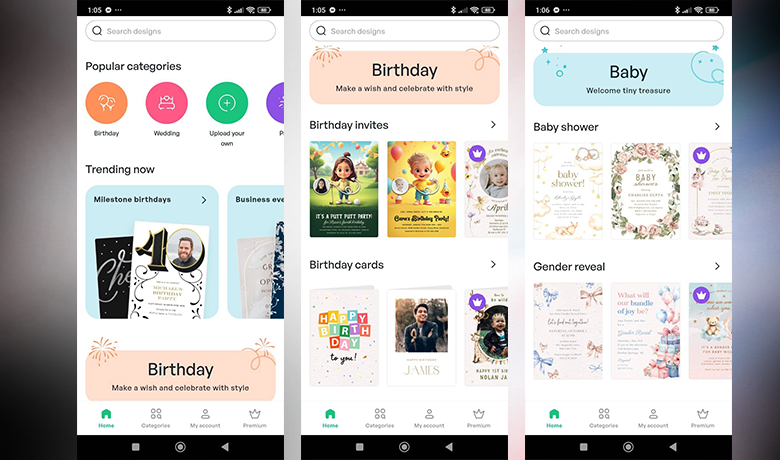
The Custom Invitation Maker app is one of the most accessible and intuitive invitation-making apps for Android users. Available for free, it offers a wide range of templates for different events, such as birthdays, weddings, and gender reveal parties. The app allows you to customize the invitation with photos, fonts, colors, and text, as well as share it on social media or via email, and even print the final design.
In addition to the free version, the app offers a paid subscription starting at R$ 5.99 per month, which removes ads and watermarks and unlocks exclusive templates to further customize your invitations. Its advantage over other invitation-making apps lies in its simplicity and variety of customization options. Don't waste time, click the buttons below and download the app now to create your invitations in a practical and creative way!
Canva
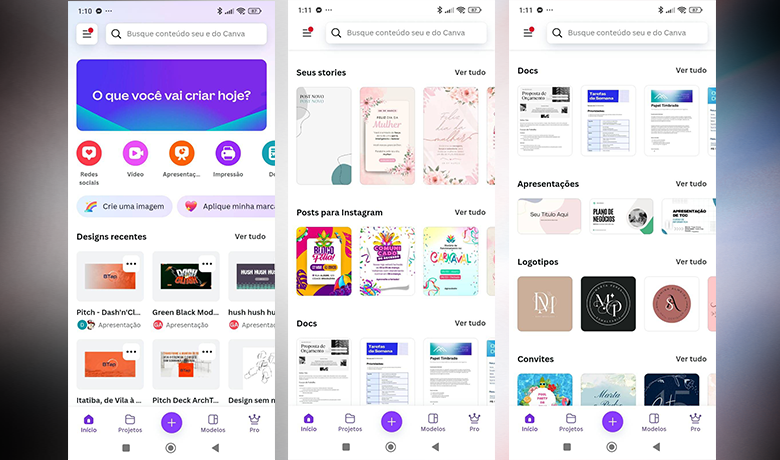
Canva is one of the most popular invitation-making apps, available for Android and iPhone. With it, you can create personalized invitations, either from ready-made templates or from scratch, adapting images, fonts, and colors to your liking.
Ideal for those seeking practicality and creative freedom, the app also offers invitations for birthdays, weddings, and other events, allowing them to be shared on social media or printed directly. Although Canva is free, Canva Pro offers exclusive advantages, such as real-time customization with others and artificial intelligence tools to optimize the design.
The paid version costs from R$ 35 per month and also unlocks access to more templates and features. Its main advantage compared to other invitation apps is the possibility of collaboration and the wide range of functionalities. Take advantage and download the app right now by clicking the buttons below to start creating your invitations quickly and easily!
Tips to improve your invitation
It's always good to remember that when creating an invitation, the event's visual identity is fundamental to conveying the essence of the celebration. With invitation-making apps, it's possible to adjust colors, fonts, and images to reflect the chosen theme. The harmony between these elements helps create a striking impression aligned with the event's style.
The message and tone of voice are also essential. Whether the invitation is for a lively party or a formal event, the choice of words and tone should be consistent. Furthermore, don't forget the call to action, such as "Confirm your attendance" or "Secure your place," to engage guests clearly and concisely.
Conclusion
With all this information, we believe you'll be able to choose the invitation app that best suits your needs from this list! Tell us in the comments which one you'll choose and why! Also, check out... Our article about apps that were all the rage in the past but are no longer used. and the video we've put together especially for you!